A booking page for customers
Customers see the free times, pick a meeting and answer the questions you need in one go.
Let your customers pick a time that suits them. Calendo keeps bookings, availability and messages in order so you can focus on the meetings themselves.
30 minutes
Choose a time that suits you. You will receive a confirmation by e-mail.
Build a booking page that looks like your business and let Calendo handle the practical messages around every meeting.
Customers see the free times, pick a meeting and answer the questions you need in one go.
Set meeting lengths, working hours and booking limits to match your working day.
Edit the confirmation, reminder, reschedule, cancellation and follow-up messages and when they are sent.
Sign in and connect your Google or Outlook calendar. Bookings land in your calendar with a Meet or Teams link, and double bookings are avoided.
Collect the answers you need when the customer books, with choices in the order you want.
Follow bookings and contacts, look at reports and export your data.
Add your logo and colours. The booking page, embedded form and customer e-mails carry your brand.
Share bookings in turns across your team or assign a meeting to one person. Everyone uses their own calendar.
A text message before the meeting reduces no-shows. Customers can reschedule or cancel from the link in the message.
Screenshots of the booking page your customers use, with a fictional example business.
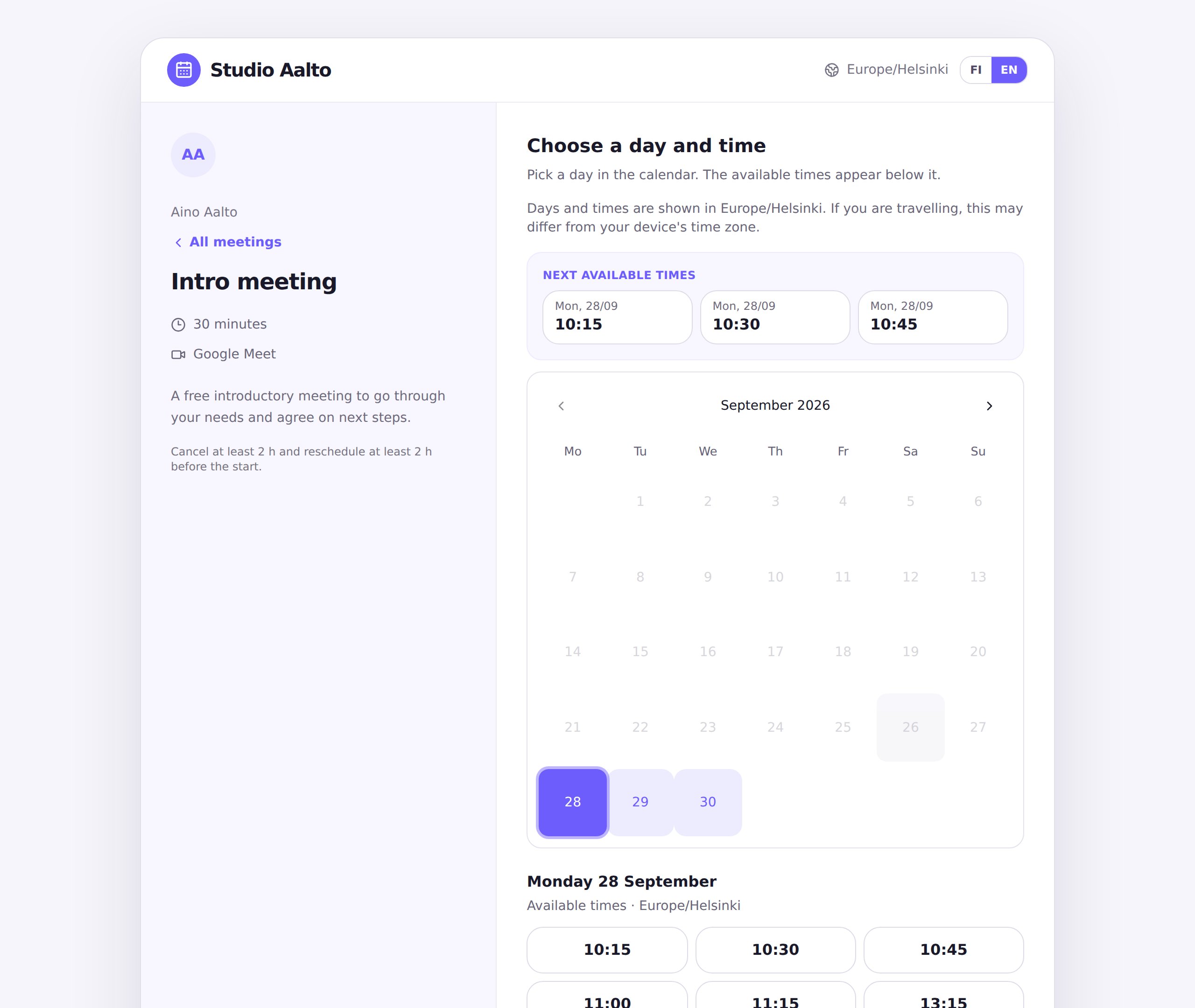
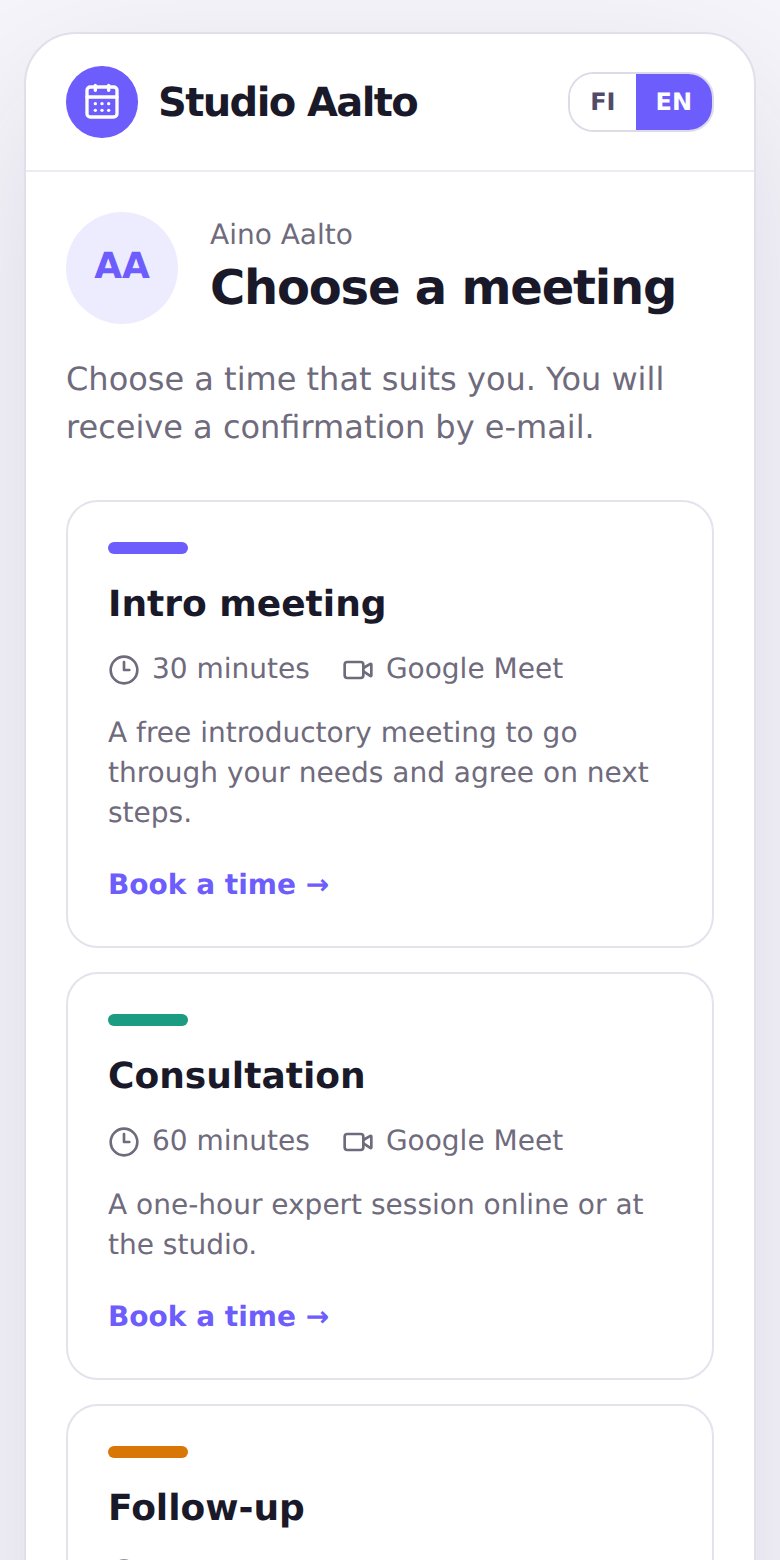
Create a meeting type and set your availability.
Share your personal booking link.
The customer books and gets a confirmation.
Start for free and upgrade when you need more. You only pay for the people who take bookings, and the monthly subscription can be cancelled at any time.
For sharing a single booking link.
No payment details needed to sign up
When you have more bookings, meeting types and people.
14-day free trial, cancel any time
When you want to see and improve the whole booking journey.
14-day free trial, cancel any time
For larger organisations with many users.
Annual agreement and invoice
Text messages are charged by usage at cost, billed monthly by the number of messages sent.